How to Join Voxel Max - 3D Modeling Beta on iOS




About Voxel Max - 3D Modeling
Make your own awesome 3D creations with the most advanced voxel editor available on mobile.
Voxel Max makes creating professional level voxel art easy and fun
The sleek and intuitive interface is easy to master whether you're a 3D game developer, a digital artist, or a kid with a huge imagination.
Build whatever you can see in your mind’s eye
Use AR to bring your creations to life, or export them to a variety of different formats
Make beautiful art for the metaverse, create assets for game development, or just design for fun!
---------------------
Voxel Max - Features
---------------------
The only mobile voxel editor that adheres to Apple’s sleek UX standards
Fill out a massive 256x256x256 build area with real time material rendering
Create using up to 2040 materials, pick from 255 colors, change texture and apply effects at the microscopic level
Paint with SDF brushes for hyper-fast building
Adjustable pressure sensitivity, control brush size and color
Kickstart your projects with an extensive library of prefab voxel assets like pre-made people, furniture, trees & vegetation, architecture, and more
See your voxel creations come to life around you using AR with your iPhone or iPad camera
Share as PNG, Voxel Max Asset Pack, SCNZ, DAE, FBX, GLTF, OBJ, STL and USDZ.
Available as a full suite on Mac, iPad & iPhone with cloud syncing - start your projects on your phone or iPad, then finish on a desktop or laptop later on
Zoom in to edit with precision and fine tune your creations, zoom out to see the bigger picture
Qubicle, MagicaVoxel scene level Import & Export
Save your own creations in the asset manager for easy cloning and scene building
Undo all the way to document start
Use presenter view to add backgrounds and see your entire build from the beginning as a time-lapse
BUILD & CREATE ANYTHING IN 3D
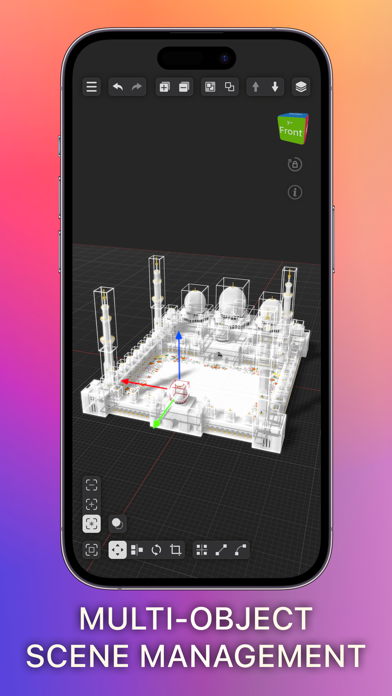
Voxel Max makes it easy to build whatever you can imagine within a huge 256x256x256 3D grid
Tap to place pixels one by one, or hold and drag to add pixels in bulk.
DESIGN FOR ANY USE CASE, OR JUST FOR FUN
Whether you’re a game designer making in-game assets on the go, an artist creating beautiful voxel-based scenes and landscapes for your next metaverse project, or just a hobbyist designing for fun, Voxel Max has something for you.
BRING YOUR CREATIONS TO LIFE WITH AUGMENTED REALITY
Use the camera on your iPhone or iPad to bring your creations to life in the world around you
Wonder what your art piece would look like sitting on your coffee table? Make it happen with AR and take a photo or video to share with others.
HIGH QUALITY RAY TRACER
Voxel Max implements a physically correct ray-tracer taking advantage of the hardware acceleration in M1 or later chips.
Take your designs to next level with the Marching Cubes rendering style and with the Outline/Curvature post process effects.
FOUNDRY
Generate assets from images using AI, scan real-world objects and voxelize USDZ or GLTF scenes.
***IMPORTANT***
- minimum requirements for raytracing: iPhone 11, iPad 9th gen, M1 Mac
Voxel Max makes creating Voxel art as easy as possible, with tons of options for in-depth customization
Make whatever you want in 3D, export and show the world your creations.
Whether you’re an experienced 3D artist, or are just looking to try your hand at voxel art for the first time, Voxel Max makes getting started as seamless as possible
With tons of helpful tips for beginners, and endless tweaking options for professionals, the possibilities are endless.
Try Voxel Max today!