How to Join Queued Up Beta on iOS



About Queued Up
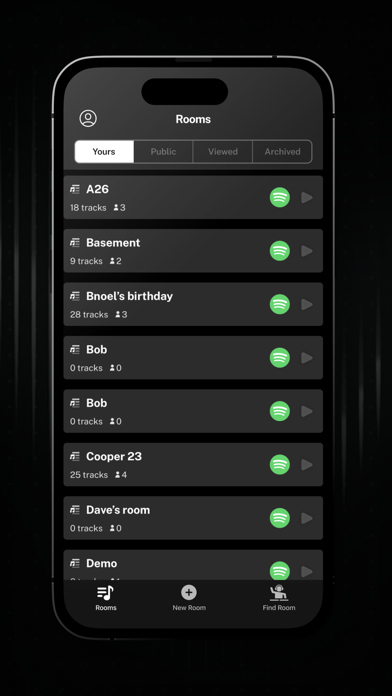
With the Queued Up music app, you can play millions of songs collectively with your friends
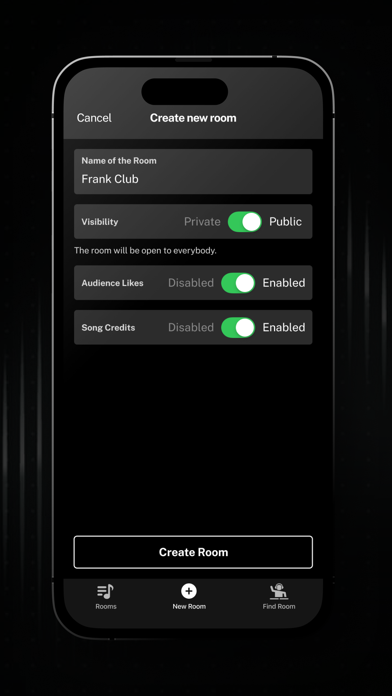
Create a “room” and invite your group to join the party
Sync your Spotify Premium account and start contributing.
You can join the “room” in one physical location, or have people around the country join in. Whether you’re throwing a party, road tripping with friends, or just hanging out, Queued Up ensures everyone gets the aux
Discover all the best music from your group, as opposed to an algorithm.
How it works:
Step 1: Create a room
Step 2: Invite your group into the room
Step 3: Establish “Roles”...
Manage “Roles” within the room
Hosts can distribute control…
Admin - Manage playlist, doesn’t need to request permission to add songs
Contributor - Can request songs, but needs to be approved by the “Admins”
Viewer - Can see what is played, and react to songs
Can’t request songs.
Step 4: Enjoy
Join the party
Terms of Use: https://www.apple.com/legal/internet-services/itunes/dev/stdeula/
Privacy Policy: https://queuedupmusic.com/privacy-policy