How to Join glinet Beta on iOS


About glinet
Setup GL.iNet routers with version 3.201 and above.
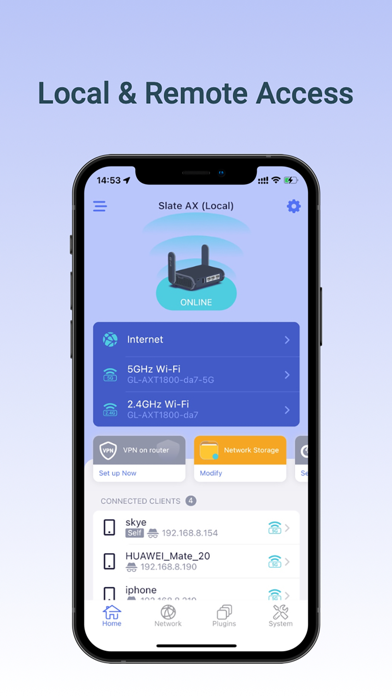
The GL.iNet Mobile app gives you convenient access to your router’s features anywhere and anytime:
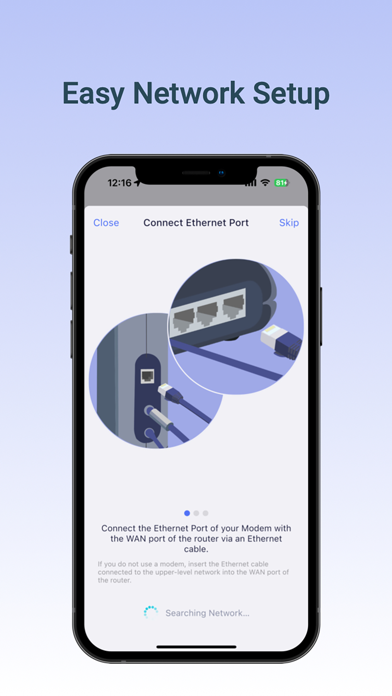
Basic Setup: Setup and change the password of your devices
Discover the real-time traffic in both mesh & guest network
Block unwanted users that share your WiFi network.
Mesh Network: Build up your home mesh network
Step-by-step guidelines for setting up sub-nodes within your house.
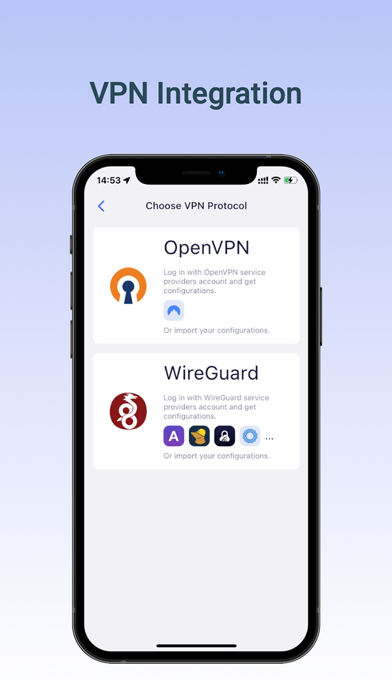
VPN Setup: Easily configure selected OpenVPN and WireGuard VPN for your private home network.
Live Router Status: Real-time performance checklist of your devices, including memory storage and CPU load data.
Easily pause WiFi, update firmware, turn off LED lights on the router, and more!
Compatible GL.iNet Devices (Model No.):
GL-B2200 / Velica
GL-AR750S / Slate
GL-MT1300 / Beryl
GL-MT300N-V2 / Mango
GL-AR150 / White
GL-AR300M / Shadow
GL-AR750 / Creta
GL-E750 / Mudi
GL-MiFi
GL-USB150 / Microuter
GL-X300B / Collie
GL-X750 / Spitz
GL-XE300 / Puli
GL-MV1000W / Brume-W
microuter-N300
GL-AX1800/Flint
GL-SF1200
GL-SFT1200/Opal
GL-AXT1800/Slate AX
GL-A1300/Slate Plus
GL-MT3000/Beryl AX
GL-MT2500/Brume 2
GL-X3000/Spitz AX
GL-XE3000/Puli AX
GL-MT6000/Flint 2
GL-B3000/Marble
GL-BE3600/Slate 7
GL-BE9300/Flint 3
GL-BE6500/Flint 3e
GL-MT3600BE/Beryl 7
GL-MT5000/Brume 3