How to Join FitNotes 2 - Gym Workout Log Beta on iOS


About FitNotes 2 - Gym Workout Log
Keep track of your progress in the gym with a workout tracker and planner.
Based on the popular FitNotes app, the best workout planner app ever made on any platform
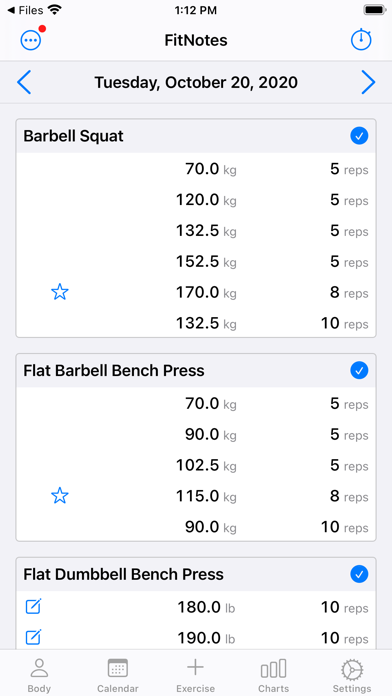
Routines: Save your workout routines as templates, log them to a workout
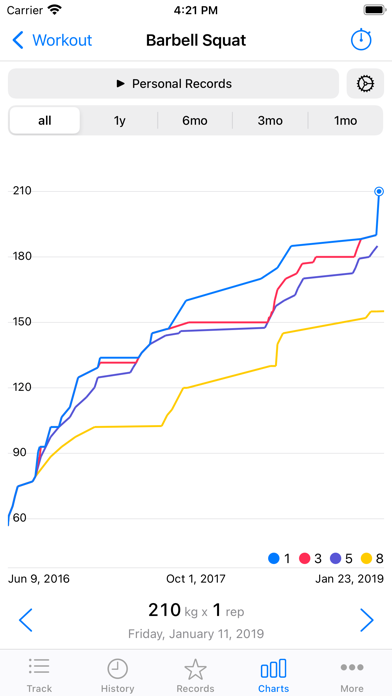
Personal Records are automatically tracked
1RM, Percents Calculator
Plate Calculator with profiles per gym and multiple barbells
Body Tracker: Record your weight, body fat and any other measurement
Integrates with Apple HealthKit.
Goal Tracker: Set personal goals for exercises, such as a 1RM.
Graphs: Helps to analyze your progress and plan your programming
Rest Timer, EMOM, AMRAP and Tabata timers
Notifications: Be notified when the rest timer ends for your next set
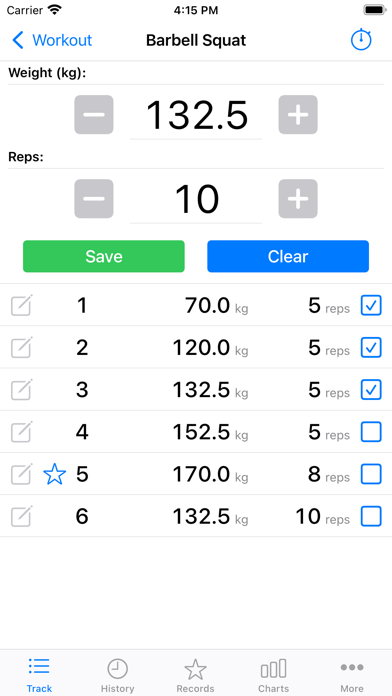
Supports every kind of exercise: weight, reps, distance, time
Use built-in exercises or create your own
Mix pounds (lbs) and kilograms (kg) easily
Add notes to workouts, sets, templates and body measurements
Dark Mode
Apple Watch app
Apple Workout integration with or without Apple Watch
Share workouts as text or an image
Warmup sets
RPE, RIR
Data Management:
Import the original FitNotes database and FitNotes CSV files
Manual and automatic backups to iCloud
Export your workouts in a CSV
Export back to the original FitNotes
No lock-in.
No account required
You can import CSVs from other fitness and workout log apps to bring your data over.
The free version of FitNotes 2 can save up to 12 workouts
Delete older workouts to continue using for free
All features are available free, the number of workouts is the only restriction.
To save more workouts, purchase FitNotes unlimited lifetime access or a subscription.
Terms of Use: https://getfitnotes.com/termsofuse
This app is not affiliated with other fitness apps
Purchase of FitNotes does not transfer to other platforms.
FitNotes Changes:
Version 8
- Add option to skip the rest timer for the final set
- Fix HealthKit synced workout dates
- Long press notes to show the menu
- Update CSV format for the other FitNotes import
Version 7
- Export and import templates
- Added an option to copy previous sets when adding an exercise to a workout
- Add 'Copy' to the long press menu on workout notes
- Allow a negative RIR
Version 6
- Fix decimal inputs for RPE and RIR
- Fix the lockscreen timer text being black for some users
Version 5
- Add the rest timer to the lock screen
You must enable it from the rest timer settings.
- Restore lookback time ranges for the Exercise records
- Add 'By Year' to statistics time groupings
- Add an option to double an exercise's weight when calculating volume
You can use this for unilateral or dumbbell exercises.
- Add 'Sort By Category' in the exercise list sorting options
- Add RPE and RIR to workout sets
- Add custom rest times to a single workout set
- Add an option to show the workout set notes without opening the notes screen
- Flag sets as 'warmup'
Warmup sets are excluded from graphs, statistics and goals.
- Fix rest time settings not updating properly when deleted
- Fix the rest timer buttons not working after uses EMOM/AMRAP timers
- Don't send notifications for EMOM/AMRAP timers
- Fix the 'next set' message that could be wrong sometimes when using supersets
- Skip autobackup if the phone is too hot
- Fix a layout issue with the settings menu for long settings names
- Fix 'Y-Axis from Zero' graph option
Version 4.1
- Fix number highlighting in the input fields on iOS 17.2
- Fix a crash when sharing a screenshot of the workout
- Fix a crash that could happen changing the HealthKit Quantity Type for a measurement
- Fix a crash and a bug that could happen when creating new exercises
- Fix a crash that could happen when deleting a set that is a record