How to Join Remote, Mouse & Keyboard Pro Beta on iOS



About Remote, Mouse & Keyboard Pro
# REMOTE, MOUSE & KEYBOARD — YOUR ALL-IN-ONE CONTROL CENTER
Turn your iPhone or iPad into a universal remote, wireless mouse, keyboard, and automation hub — all in one powerful app.
With Remote, Mouse & Keyboard, you can control your Apple TV, Mac, Windows PC, or even another iPad seamlessly over Wi-Fi or Bluetooth.
Whether you’re streaming, presenting, or working remotely — take full control of your digital world.
# APPLE TV REMOTE — SIMPLE AND INTUITIVE
No more lost remotes or endless scrolling
Connect via Wi-Fi and take charge of your Apple TV with ease.
- Works with all Apple TV models
- Control volume, playback, and media functions
- Navigate with a smooth touchpad
- Type comfortably with the built-in keyboard
- Launch apps instantly from your device
(Older Apple TV models such as Gen 1–3 require one-time PIN entry using a physical remote.)
Your iPhone becomes the most advanced Apple TV remote ever.
# COMPUTER CONTROL — MAC & WINDOWS
Take full command of your computer — Mac or Windows — directly from your iPhone or iPad.
Designed for productivity, comfort, and speed.
Remote Control & Media:
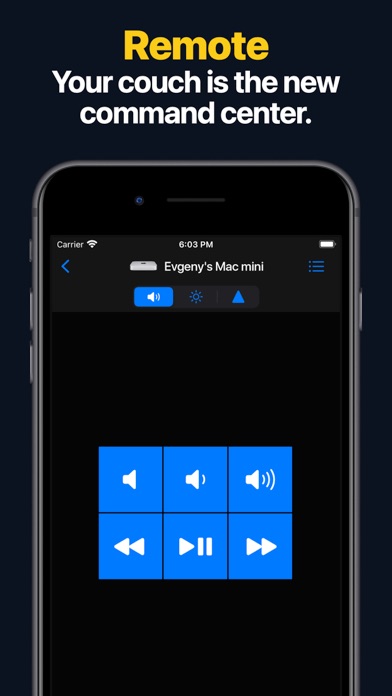
- Adjust volume, playback, and tracks
- Use pre-made control panels for popular apps and websites
- Create custom control panels for any software
Mouse & Keyboard:
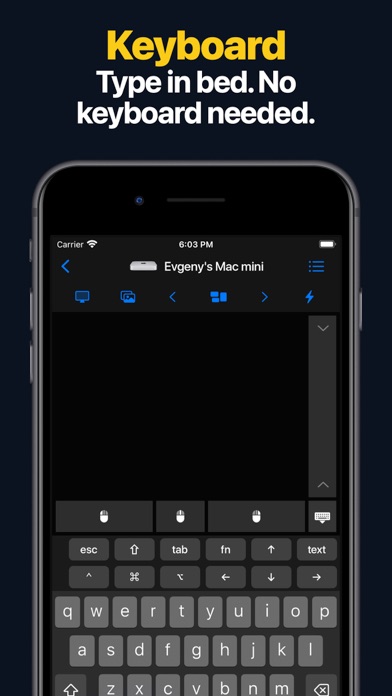
- Turn your device into a wireless mouse and keyboard
- View your computer screen live on your phone or tablet
- Capture screenshots remotely
- Use gestures like scroll and zoom
Apps & Automation:
- Launch or quit apps, access menus, and trigger shortcuts
- Integrate Siri Shortcuts and Timers
- Perform system actions — sleep, restart, logout, and more
- Create custom automation scripts
- Open websites in your preferred browser
- Manage all scheduled actions in one place
Requirements:
- macOS 10.13 or newer or Windows 7 or newer
- Free helper app download: https://rs.ltd/get
Your all-in-one remote desktop and input tool — secure, fast, and intuitive.
# IPAD CONTROL — DUAL-DEVICE BRILLIANCE
Use your iPhone to control another iPad via Bluetooth.
Perfect for multitasking, streaming, or creative setups.
- Adjust volume and playback
- Type and navigate using keyboard and touchpad
Your iPhone becomes the perfect companion for your iPad.
# WHY YOU’LL LOVE IT
- All-in-one app for Apple TV, Mac, Windows, and iPad
- Customizable control panels and shortcuts
- Live screen view for real-time interaction
- Siri & Shortcuts integration
- Timer automation for smart workflows
- Secure Wi-Fi and Bluetooth connections
- Free companion helper app for computers
- Clean, intuitive iOS design
# SYSTEM REQUIREMENTS
- Apple TV: All models supported
- Mac: macOS 10.13 or later
- Windows: Windows 7 or later
- iPad: Bluetooth connection supported
- Helper app download: https://rs.ltd/get
# THE FUTURE OF CONTROL
Stop juggling remotes and keyboards — unify them.
From managing your Mac or PC to pausing your Apple TV or typing on your iPad, Remote, Mouse & Keyboard makes control effortless.
Smart
Seamless
Powerful.
Take control — with Remote, Mouse & Keyboard.